Connect n8n to Dialora
Seamlessly connect your AI Voice Agents to n8n and the 500+ apps it reaches. Three native nodes start a workflow the moment a call ends, place calls and wait on the outcome, and manage users, plans and subscriptions from the same canvas.


Why You Should Integrate Dialora with n8n?
Every call your agent handles turns into work that finishes itself. Bookings, follow-ups and record updates happen the moment the conversation ends, so your team stops doing data entry and starts working the outcomes.
How It Works
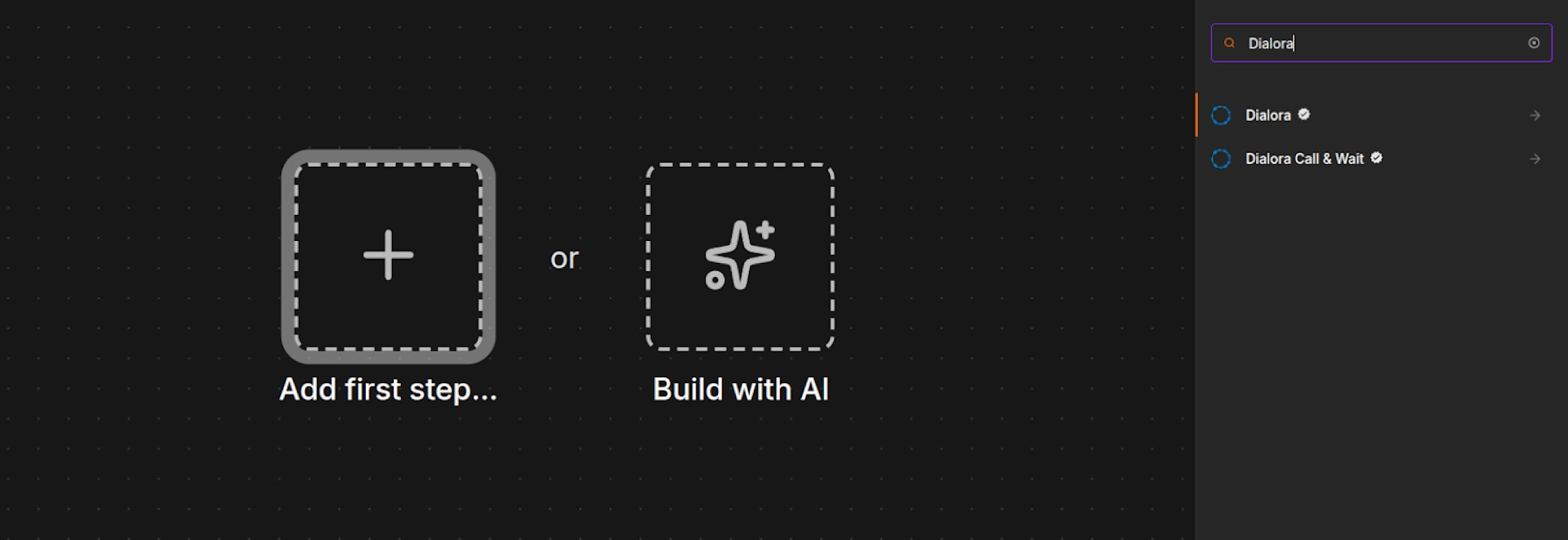
Create an n8n Workflow
Log in to your n8n instance and click "Create Workflow." Search "Dialora" in the node panel and three nodes are already waiting there: Dialora Trigger, Dialora Agency and Dialora Call and Wait. Nothing to install.
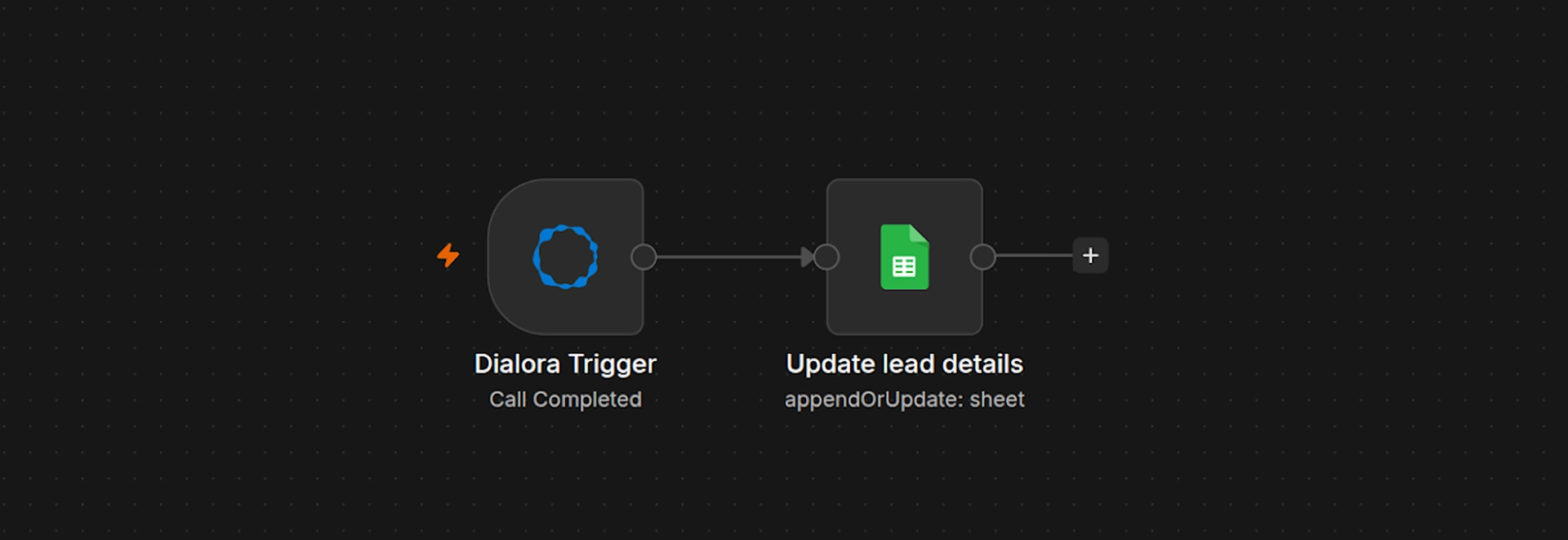
Trigger on Every Call
Add the Dialora Trigger node and copy its webhook URL. In your Dialora agent, open Tools, add the generic Webhook tool. Every finished call then arrives as structured data: transcript, summary, extractions, analytics, status and the numbers on both ends.
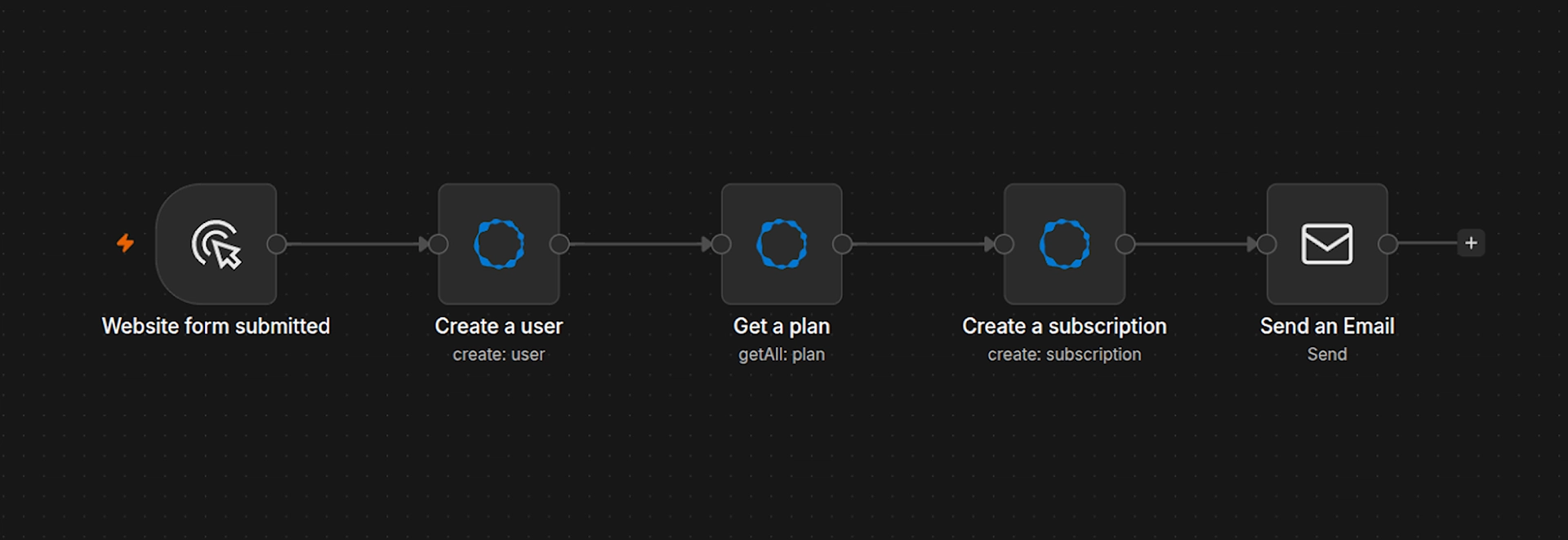
Connect Your Stack
Connect to any of n8n's 500+ apps, including CRM, calendar, email, and custom endpoints. Automate user onboarding by creating users, assigning plans, managing subscriptions, and sending emails automatically.
Nothing to install
Search "Dialora" in the n8n node panel. All three are already there, waiting for your API key.
- 01
Get your key
Create it in your Dialora dashboard under API Keys, then point the node at
api.dialora.ai. - 02
Scope the key
Grant it only what the workflow touches, across calls, users, plans and subscriptions.
- 03
Make n8n reachable
Dialora only posts to public URLs. A self-hosted n8n needs a public
WEBHOOK_URLor the trigger never fires.
Dialora Trigger
Add your Dialora agency account API key, then paste the node's webhook URL into the generic Webhook tool on your agent. Every finished call arrives carrying the transcript, summary, extractions and analytics, ready to push straight into your CRM.
Webhook URLhttps://agency.app.n8n.cloud/webhook/f7c24ab7-740d-400b-8284-5668950b0aa1/webhook
Inside the Agency node
Pick a resource and an operation, and the node fills in the rest. This is the panel you get in n8n.
Use it when a client signs and you want their workspace standing before anyone picks up a phone.
Contacts, calls and campaigns land in the same node as new resources once Dialora's account-level APIs go public.
How to Integrate
Teams shipping voice automations on Dialora and n8n






FAQs
No. Search "Dialora" in the n8n node panel and you will find the nodes are already there. Nothing to install. You build the workflow visually instead of hand-rolling HTTP requests.
Ready to Automate Your Voice Operations?
Revolutionize your call center with the power of Dialora and n8n.