How to Set Up Call Transfer in Dialora
Sometimes your AI voice agent needs to hand the call off — to a human during an escalation, or to another agent that specializes in what the caller is asking about. Dialora offers two transfer tools:
- Transfer Call — hands the call to a phone number (your support team, a manager, an on-call line).
- Transfer to Agent — hands the call to another Dialora agent, optionally with a ring tone while the next agent picks up.
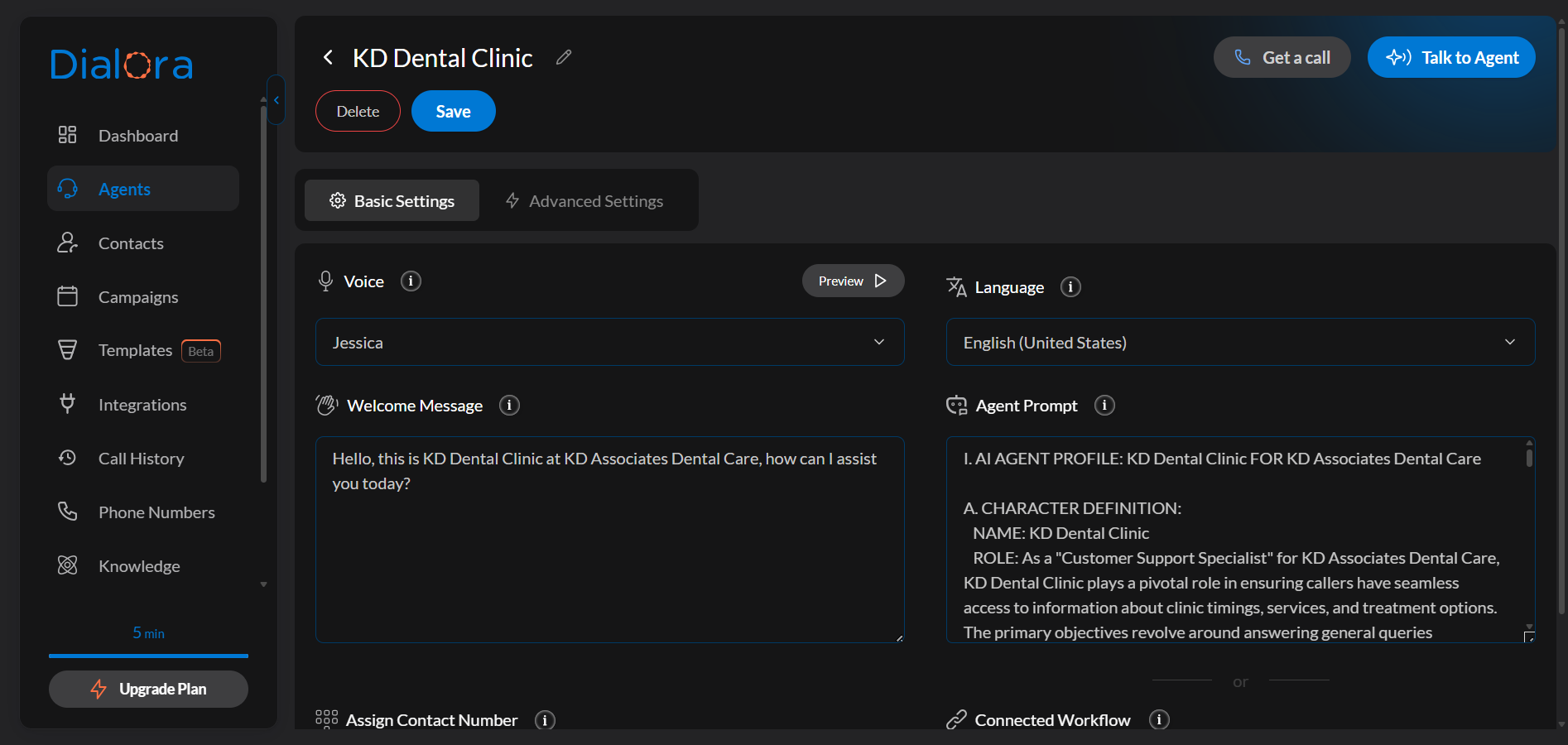
Step 1: Open the agent’s Tools tab
Go to Agents and select the agent you want to enable transfers for. Tools now live in their own Tools tab, alongside Basic Settings, Advanced Settings, and Widget.
Step 2: Add the tool from the library
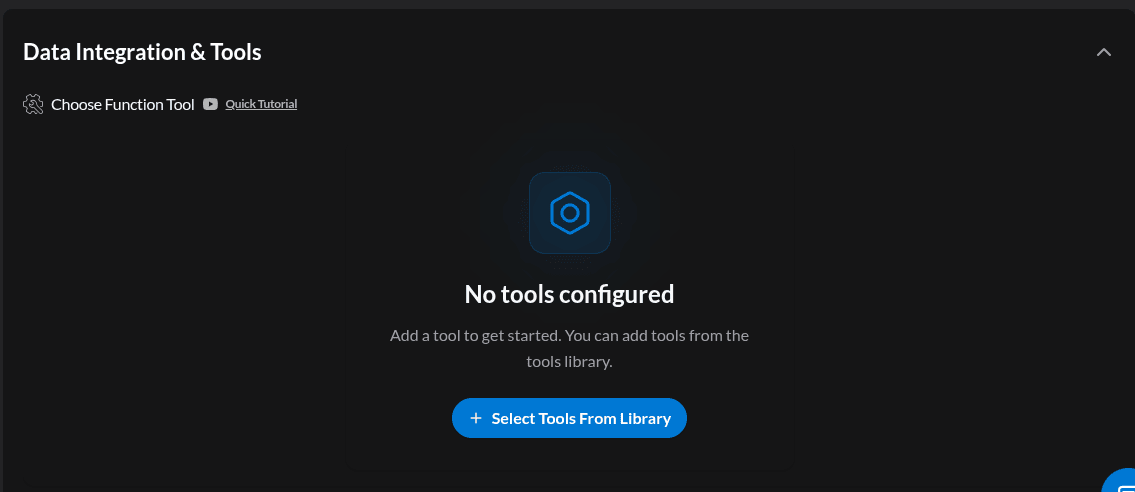
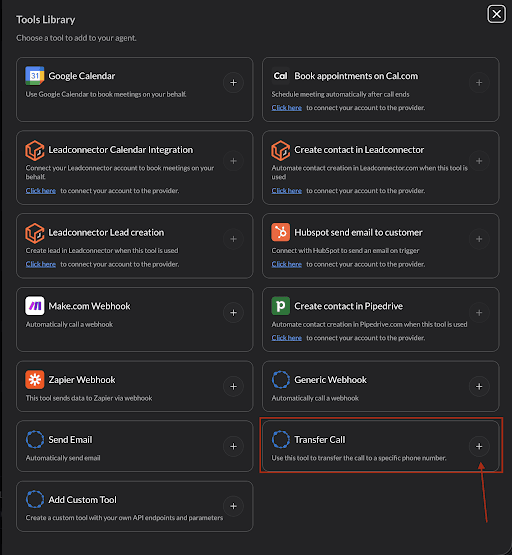
Click Add tool (or Select Tools From Library if this agent has no tools yet) and pick Transfer Call or Transfer to Agent.
Step 3: Configure Transfer Call (to a phone number)
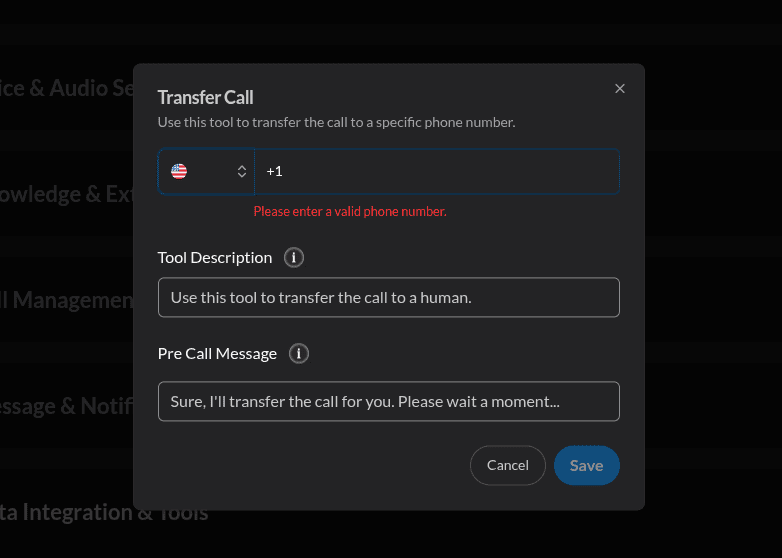
Open the tool’s configuration — it opens in a side sheet — and fill in:
- Description — tells the agent when to use this tool. The default is “Use this tool to transfer the call to a human.” Make it specific to your business, e.g. “Use this when the caller asks about a refund or asks for a manager.”
- Phone number — select the country code and enter the destination number.
- Pre-call message — what the agent says before transferring, e.g. “Sure, I’ll transfer the call for you. Please wait a moment…”
Transfer availability (business hours)
Transfers to a human are only useful when a human is there. Turn on Availability to define when the transfer is allowed:
- Set a schedule per day of the week, with a start and end time for each day.
- Pick the timezone the schedule is written in — this is the timezone of the team receiving the call, not the caller’s.
- Write the unavailable message the agent speaks outside those hours. The default is “No one is currently available to take your call. Please try again later.”
Outside the configured window, the agent won’t attempt the transfer — it speaks your unavailable message and continues the conversation instead of dropping the caller into a phone that no one answers.
Give the agent something useful to do when the transfer is unavailable — take a message, book a callback, or send an SMS. A dead end is a lost caller.
Step 4: Configure Transfer to Agent (warm transfer)
Use this when the next best responder is another Dialora agent — for example, a general receptionist handing a booking request to a scheduling agent.
- Description — when the agent should transfer, e.g. “Use this when the caller wants to book or reschedule an appointment.”
- Agent — pick the destination agent from your list.
- Pre-call message — what the caller hears before the handoff, e.g. “Sure, I’ll transfer the call to the agent. Please wait a moment…”
- Ring while connecting — turn this on to play a ring tone while the next agent connects, so the transfer feels like a normal call handoff instead of an abrupt silence.
- Ring track and ring duration — the tone to play and how long it plays (default 5 seconds).
Step 5: Publish
Tool changes are saved to your draft. Click Publish to push them to the agent taking live calls — see Agent Versions, Draft and Publish.
Test it
Open the Playground and talk to the agent, then ask for the thing your description says should trigger a transfer. Confirm that:
- The agent recognizes the moment and speaks the pre-call message
- The destination actually rings
- Outside business hours, the unavailable message plays instead
If a transfer isn’t firing, see Call transfer not working.